
If you have forgotten your Academic Bank of Credits (ABC) ID, or if your school/college created it for you and you don’t know the login details, don’t worry. You can easily retrieve it using the DigiLocker platform.
Here is a step-by-step guide on how to recover and download your ABC ID, based on the tutorial by Jain Tech MN.
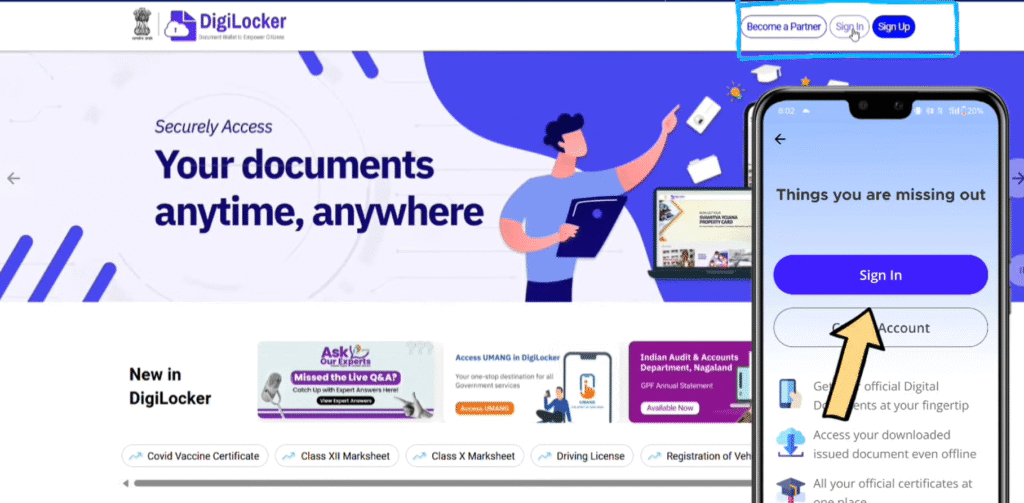
Step 1: Access DigiLocker
You can perform this process on either a mobile phone or a computer.
- On Mobile: Open the DigiLocker app.
- On PC: Visit the official DigiLocker website and click “Sign In”.
The interface is similar for both, so you can follow these steps regardless of your device.
Step 2: The Best Way to Login
This is where most students face issues. When trying to sign in, you will see options to login via Mobile Number, Username, or Aadhar Number.
- Common Issue: If your institution created the ID for you, logging in with just your mobile number or username might not work because you may not know the credentials they used.
- The Solution: Use the Aadhar Number option. Since schools typically use your Aadhar details to generate the ABC ID, this is the most reliable way to access your account.
Instructions:
- Select the Aadhar Number login option.
- Enter your Aadhar number and click ‘Next’.
- You will receive a 6-digit OTP on the mobile number linked to your Aadhar card. Enter this OTP to proceed.

Step 3: Verify or Reset Your Security Pin
After entering the OTP, the system will ask for a 6-digit Security Pin.
- If you know it: Enter the pin to log in.
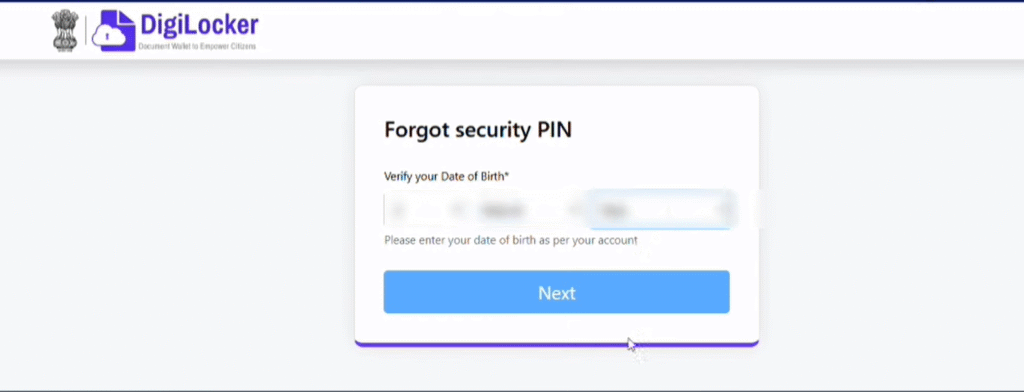
- If you forgot it (or never set one): Click on “Forgot Security Pin”.
To reset it, you will need to enter your Date of Birth exactly as it appears on your Aadhar card. Once verified, you can set a new 6-digit security pin. Make sure to write this pin down so you don’t forget it next time!.
Step 4: Download Your ABC ID
Once you are logged in, you will see your dashboard.
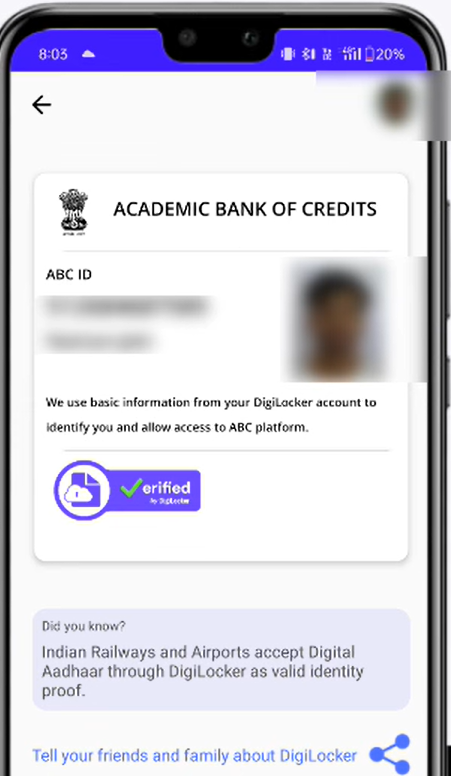
- Navigate to the “Issued Documents” section.
- Look for a document titled Academic Bank of Credits or APAAR ID.

3. Click on it to view your ABC ID card. From here, you can view your specific ABC ID number or download the card as a PDF for your records.
Summary: The key to recovering a lost ABC ID created by an institution is logging into DigiLocker using your Aadhar number rather than a mobile number. This ensures you access the correct account where your academic credits are stored.
For a visual walkthrough, you can watch the full video tutorial here: https://www.youtube.com/watch?v=lzCR6OAOamc
❤️ Support My Work
If you found this guide helpful and it saved you time, please consider supporting the blog! Your donations help me create more useful content and tutorials.